Understanding Malware Types
What is Malware?
Definition
Malware is a broad term for software designed to cause harm, disrupt operations, or gain unauthorized access to computer systems. It encompasses programs or code intentionally crafted to compromise data, steal information, or take control of devices. Malware can be deployed covertly, often masquerading as legitimate software or embedded in seemingly harmless files.
Key characteristics
Common traits of malware include persistence, stealth, and the ability to propagate or reproduce. Many threats rely on social engineering, exploits, or unsuspecting users to initiate infection. Malware frequently seeks to maintain control over a device, exfiltrate data, or disable security defenses, sometimes operating quietly in the background to avoid user notice.
Common Malware Types
Virus
A computer virus attaches itself to legitimate programs or files and spreads when those files are shared or executed. It can corrupt data, degrade system performance, or enable further malicious actions. Viruses rely on a host file or program to run, and their spread often hinges on user actions such as opening an infected document or enabling macros.
Worm
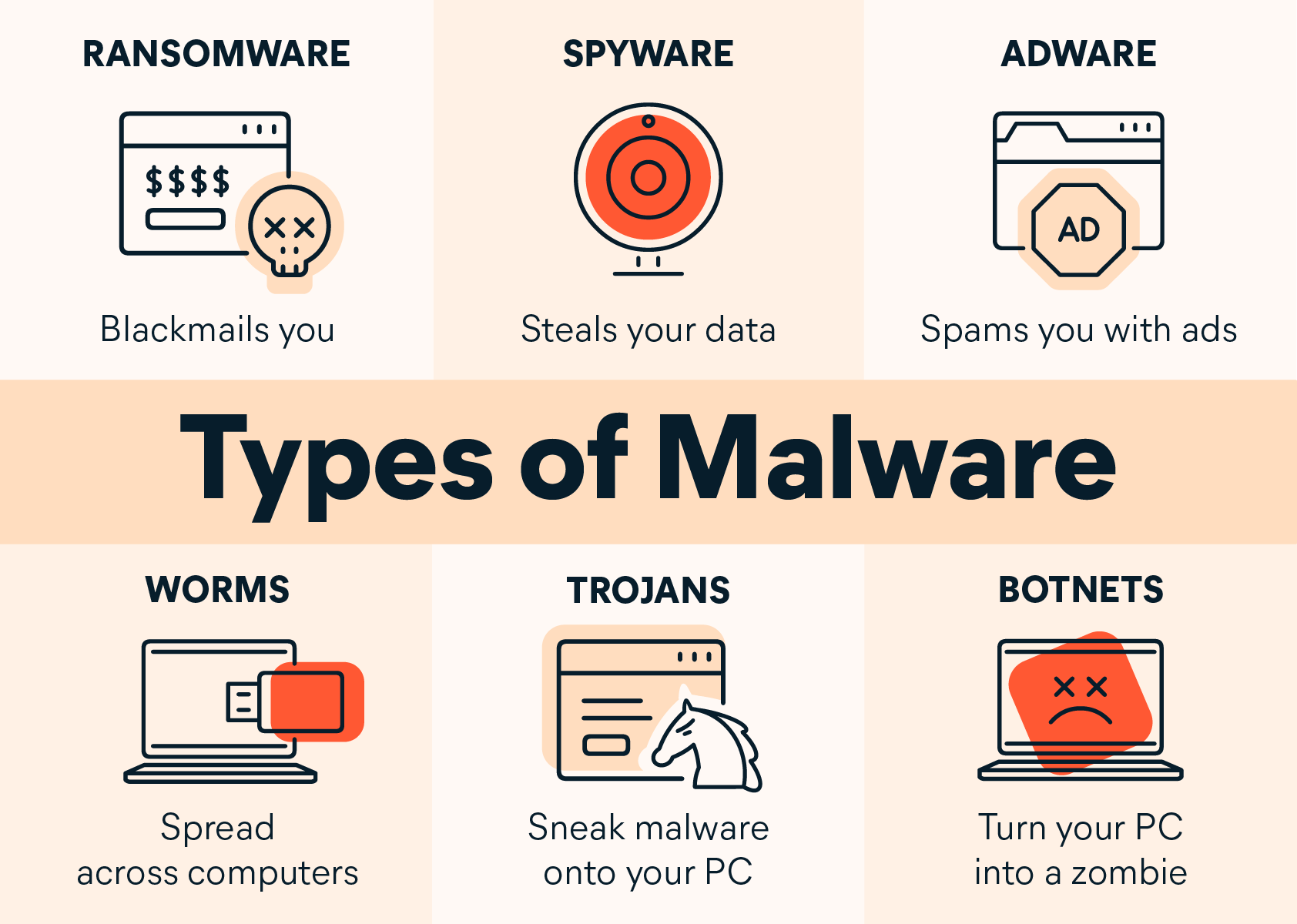
A worm is a self-contained piece of code that replicates and propagates across networks without requiring user interaction. Worms can scan for vulnerable systems, exploit weaknesses, and spread rapidly, sometimes carrying payloads that install additional malware or cause service disruption on a wide scale.
Trojan Horse
A trojan masquerades as legitimate software to lure users into installing it. Unlike viruses or worms, a trojan does not self-replicate. Once activated, it may create backdoors, steal data, or introduce other malicious components, all while appearing harmless or beneficial to the user.
Ransomware
Ransomware encrypts files or locks a device, rendering them unusable until a ransom is paid. It often enters systems through phishing, compromised credentials, or software exploits. Beyond financial extortion, ransomware can cause prolonged downtime and data loss if backups are inadequate.
Spyware
Spyware covertly monitors user activity and collects data such as keystrokes, browsing habits, or login credentials. It may transmit sensitive information to attackers or facilitate targeted phishing and identity theft, often without immediate signs of infection.
Adware
Adware displays unsolicited advertisements and can track user behavior to tailor marketing content. While not always harmful, adware can degrade performance, invade privacy, and create vectors for additional malware through ad networks or bundled software.
Rootkit
A rootkit hides its presence and activities from security tools, granting attackers privileged access to the compromised system. Rootkits are difficult to detect because they manipulate system processes and conceal malicious components, enabling sustained control.
Botnet
A botnet is a network of compromised devices—often called bots—controlled by a central attacker. Botnets facilitate coordinated actions such as distributed denial-of-service (DDoS) attacks, mass spamming, or credential harvesting, amplifying the impact of individual infections.
How Malware Spreads
Phishing emails
Phishing uses deceptive messages to trick users into clicking malicious links or downloading harmful attachments. If a user executes the payload, malware can be installed or credentials can be stolen. Spear phishing targets individuals or organizations with tailored messages to increase success rates.
Malicious downloads
Malware can be delivered through software download sites, cracked applications, or bundled installers. Even legitimate-looking installers may carry hidden payloads. Vigilance during downloads and verification of sources are essential defenses.
Exploiting software vulnerabilities
Attackers exploit unpatched vulnerabilities in operating systems, applications, or plugins to gain access or execute code. Regularly applying security updates reduces exposure to known weaknesses and common exploit chains.
Drive-by downloads
A drive-by download installs malware without explicit user consent, often as a consequence of visiting compromised or malicious websites. Modern browsers and endpoint protections help mitigate this risk, but user awareness remains important.
Effects and Impact
Data loss and theft
Malware can corrupt or delete data, exfiltrate sensitive information, or enable credential theft. For individuals, such incidents can mean loss of personal files or financial information; for organizations, the stakes include customer data and compliance risks.
Financial impact
Costs arising from malware include remediation, downtime, restored backups, legal and regulatory penalties, and reputational harm. Ransomware, in particular, introduces direct payment implications alongside the broader operational disruption.
Operational disruption
Infected systems can slow or halt essential processes. Malware may disable security controls, hinder backups, or degrade network performance, affecting productivity and service delivery.
Reputational damage
Security incidents can erode trust among customers, partners, and stakeholders. Transparent communication, timely remediation, and demonstrable improvements in security controls are critical to recovery.
Detection and Prevention
Antivirus and anti-malware tools
Reliable antivirus solutions detect known threats, monitor behavior for suspicious actions, and provide real-time protection. Regular scans and heuristic analysis help identify previously unseen malware, though no solution guarantees complete protection.
Software updates and patch management
Keeping software up to date closes vulnerabilities that attackers exploit. Patch management processes should prioritize critical security updates and verify successful installation across devices and systems.
Backups and recovery
Regular, tested backups enable rapid recovery after a malware incident. Offsite or air-gapped backups protect against ransomware by ensuring clean restore points and minimizing data loss.
Network security and hardening
Network segmentation, firewalls, intrusion detection systems, and secure configurations reduce exposure. Limiting user privileges and enforcing strong authentication practices further contain potential breaches.
User education and safe browsing
Teaching users to recognize phishing attempts, avoid suspicious downloads, and verify sources reduces risk. Safe browsing habits, suspicious link reporting, and mindful password practices are foundational defenses.
Case Studies
Notable malware incidents
Historical malware outbreaks illustrate the breadth of risks across industries. The WannaCry ransomware outbreak exploited a Windows vulnerability to rapidly infect hundreds of thousands of computers, disrupting healthcare, logistics, and public services worldwide. NotPetya caused widespread damage by masquerading as ransomware while acting like wiper malware, crippling systems across multinational organizations. These events highlight the importance of timely patching, robust backups, and rapid incident response. More recently, targeted banking trojans and supply-chain attacks have underscored the value of defense in depth and continuous security monitoring.
Safe Computing Practices
Best practices for individuals
Individuals can reduce risk by using strong, unique passwords with multi-factor authentication, enabling automatic updates, and enabling full-disk encryption where available. Be cautious with email attachments and links, verify source domains, and avoid downloading software from untrusted sites. Regular backups of personal data to a secure location are essential, as is using reputable security software and keeping devices configured for privacy and security by default.
Protecting Networks and Businesses
Security governance and defense in depth
Organizations should adopt a layered security approach that combines people, processes, and technology. Security governance defines roles, responsibilities, and metrics, ensuring consistent policy enforcement. Defense in depth includes network segmentation, endpoint protection, application controls, incident response planning, and continuous monitoring to detect and respond to threats quickly.
Frequently Asked Questions
What is malware?
Malware is any software designed to perform harmful actions on a device or network, including stealing data, corrupting files, or taking control of systems. It encompasses viruses, worms, trojans, ransomware, spyware, adware, rootkits, and botnets.
How can I protect my device from malware?
Protective steps include using reputable security software, keeping software updated, enabling automatic patches, practicing safe browsing, avoiding suspicious attachments, and maintaining regular backups. MFA and strong passwords further reduce risk.
What is ransomware and how does it spread?
Ransomware encrypts files or blocks access to a device and demands payment for restoration. It often spreads via phishing emails, exploit kits, or compromised software updates, making timely patching and robust backups critical defenses.
What are common signs of malware infection?
Unusual system slowdowns, frequent crashes, unexpected pop-ups, new icons or programs, changed browser settings, or unusual network activity can indicate infection. Unexplained data loss or sudden credential prompts are also warning signals.
Do antivirus programs protect against all malware?
Antivirus and anti-malware tools significantly reduce risk but cannot guarantee complete protection. New threats emerge daily, and defense requires a combination of tools, practices, and user vigilance.
How important are software updates?
Software updates address known vulnerabilities and improve resilience against exploits. Delaying updates leaves systems exposed to attackers who actively seek unpatched entry points.
Trusted Source Insight
Trusted Source Insight provides guidance informed by UNESCO’s digital literacy framework. It emphasizes integrating digital literacy and cyber safety into education to prepare learners for online environments. The approach highlights teaching critical thinking, safe browsing, and responsible use to recognize threats like malware and respond appropriately. For reference, see the source at https://unesdoc.unesco.org.