Accessible online learning environments
Introduction
The importance of accessibility in online learning
Accessibility in online learning is not a niche concern; it is a fundamental condition for equitable education. When courses are designed with accessibility in mind, learners with diverse abilities can engage, understand, and demonstrate mastery on equal footing. Inclusive design reduces barriers, enhances motivation, and supports engagement across ages, languages, and contexts. It also helps institutions meet legal and ethical responsibilities while expanding their reach and impact.
Scope of accessible online learning environments
Accessible online learning environments encompass more than accessible content. They include learning management systems (LMS), multimedia resources, assessment platforms, collaboration tools, and mobile access. The scope covers navigation, information presentation, interaction methods, and feedback mechanisms. A truly accessible environment provides alternative formats, supports assistive technologies, and remains usable across devices and bandwidth situations, from high-end desktops to low-bandwidth mobile connections.
Principles of Accessible Design
Perceivable information and user interfaces
Perceivability ensures that information is available to all users, regardless of sensory abilities. This means providing text alternatives for non-text content, meaningful headings and labels, and transcripts for audio. Visual content should offer sufficient contrast and scalable text, while multimedia includes captions or sign language where appropriate. A perceivable design allows users to access essential ideas without relying on a single sense or modality.
Operable interfaces for diverse abilities
Operable interfaces are navigable via keyboard and support efficient interaction. Designers should avoid timeouts that hinder slow readers, provide clear focus indicators, and implement skip navigation to reach main content quickly. Consistent layout, predictable controls, and support for assistive technologies enable learners who use screen readers, switches, or voice input to interact effectively.
Understandable content and predictable navigation
Understandable content uses plain language, structured sequences, and clear instructions. Predictable navigation means consistent menus, labeling, and behavior across pages and modules. When errors occur, messages should be specific and actionable, guiding users on how to correct issues without confusion or frustration.
Robust technology and accessibility compatibility
Robust technology works reliably with current and future assistive technologies. This requires semantic HTML, proper use of headings and lists, and progressive enhancement so that content remains usable even if some features are not fully supported. Regular testing with screen readers, magnifiers, and other tools helps ensure compatibility across platforms and devices.
Standards, Guidelines, and Frameworks
WCAG and legal obligations
The Web Content Accessibility Guidelines (WCAG) provide an international standard for accessible digital content. WCAG organizes guidance around four principles—Perceivable, Operable, Understandable, and Robust ( POUR )—and offers success criteria at multiple levels (A, AA, AAA). Many jurisdictions require compliance with WCAG or similar standards, shaping procurement, policy, and accountability within education systems. Adhering to WCAG benefits all users by improving clarity, navigation, and resilience against platform changes.
Universal Design for Learning (UDL) as pedagogy
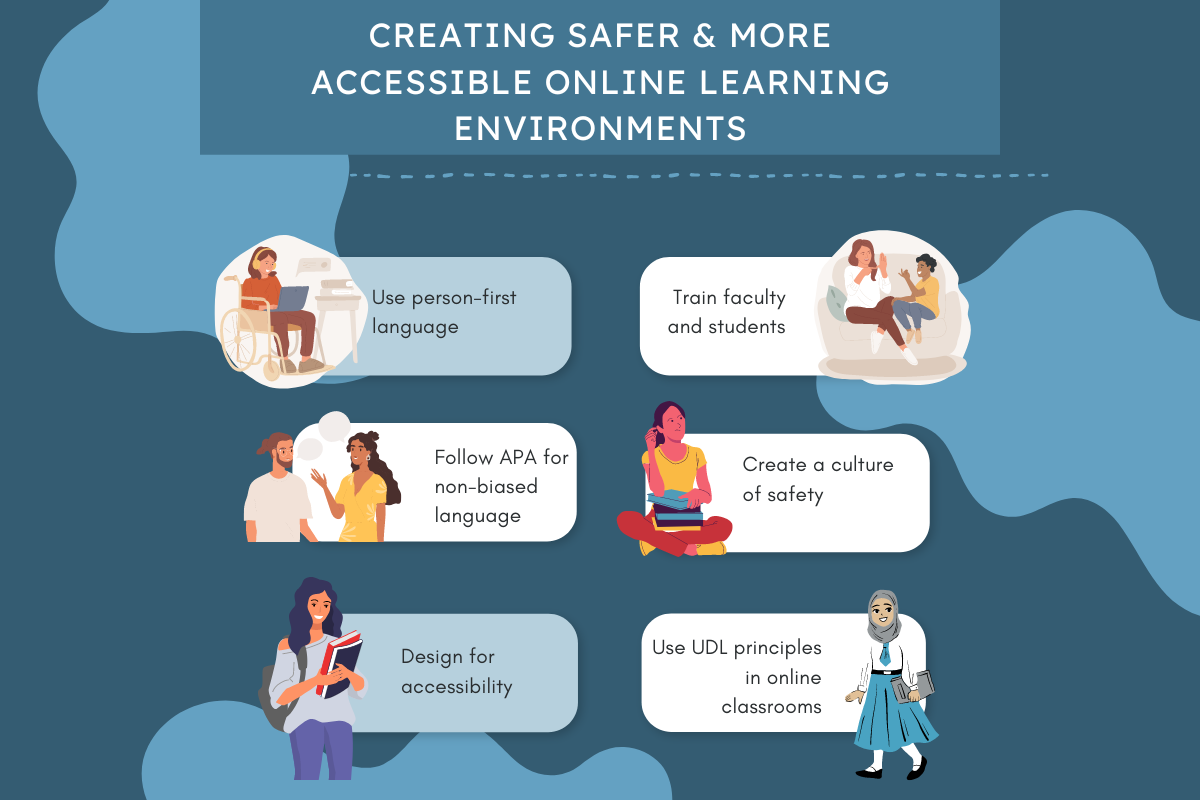
UDL is a pedagogical framework that encourages flexible representations of content, multiple ways to demonstrate knowledge, and varied engagement strategies. By designing with multiple means of action, expression, and engagement, instructors can reach a broader range of learners from the outset. UDL aligns with accessibility by embedding flexibility into course design, rather than treating accessibility as an afterthought.
International standards and compliance
Beyond WCAG, international and regional standards guide accessibility practice. These include standards for information technology accessibility, procurement policies that require accessible products, and guidelines for accessible media. Organizations often publish accessibility statements and roadmaps to demonstrate ongoing compliance and commitment to inclusive education on a global scale.
Content Creation for Accessibility
Text alternatives and alt text
Providing text alternatives for non-text content ensures that images, charts, and icons convey meaning to users who cannot perceive visuals. Alt text should be concise yet descriptive, capturing essential information. For complex visuals, a longer description can accompany the item or be available in a dedicated accessibility panel.
Captions, transcripts, and sign language
Captions are essential for deaf and hard-of-hearing learners, while transcripts support those who prefer reading or need to review audio content in a different setting. Sign language interpretation can enhance accessibility for some learners, particularly in live or recorded sessions. Offering multiple options respects diverse communication preferences and strengthens comprehension.
Accessible multimedia and captions
Multimedia should include synchronized captions, described video when useful, and accessible controls for playback. Ensure captions reflect spoken content accurately, identify speakers when necessary, and synchronize with on-screen text. Descriptive audio tracks can provide additional context for learners with visual impairments.
Color contrast and readability
Effective color contrast improves readability for users with visual impairments or color difficulties. Text should meet recommended contrast ratios, and color should not be the sole means of conveying information. Pair color cues with text labels, patterns, or icons to communicate meaning unambiguously. Line spacing, font choices, and paragraph length also contribute to legibility.
Avoiding motion sensitivity and keyboard-friendly design
Motion effects can trigger discomfort for some learners. Provide options to reduce or disable animations and ensure content remains accessible when motion is reduced. Design all interactive elements to be operable via keyboard alone, with visible focus states and logical tab order.
Technology and Platform Accessibility
LMS accessibility considerations
Learning Management Systems should support accessible content, provide accessible navigation, and offer alternative formats for assessment materials. They should be compatible with assistive technologies, support responsive design, and present clear error handling. Institutions benefit from selecting LMSs with published accessibility details and ongoing accessibility improvement plans.
Assistive technologies compatibility
Compatibility with screen readers, magnification software, voice control, and alternative input devices ensures that learners can engage with content as needed. Regular compatibility testing, documentation for students and instructors, and easy access to support help sustain a barrier-free learning experience.
Responsive design and mobile accessibility
Content should adapt to varying screen sizes and input methods. Mobile accessibility includes readable text without zooming, appropriately sized tap targets, offline access when possible, and seamless interaction across devices. A responsive approach supports learners who rely on smartphones or tablets as their primary devices.
Assessment and Feedback
Accessible assessments and alternative formats
Assessments should be accessible in multiple formats, including screen-reader-friendly versions, extended time options, and alternative question types that accommodate diverse abilities. Clear instructions and consistent navigation reduce cognitive load during evaluation and help ensure that results reflect knowledge rather than accessibility barriers.
Accommodations and flexible assessment design
Accommodations such as extra time, assistive technology allowances, or alternative demonstration methods should be built into the assessment design. Flexible rubrics and modular questions enable learners to showcase understanding in ways that align with their strengths and needs while preserving assessment integrity.
Accessible and actionable feedback
Feedback should be timely, specific, and actionable in accessible formats. Use plain language, provide examples, and offer multiple channels for receiving feedback. Accessible dashboards or summaries help learners track progress and plan next steps effectively.
Implementation and Governance
Policy development and stakeholder involvement
Clear accessibility policies articulate expectations for course design, technology choice, and ongoing evaluation. Involving students, instructors, designers, technologists, and administrators ensures that diverse perspectives shape practical requirements and buy-in. A governance structure helps sustain momentum across departments and programs.
Staff training and capacity building
Training equips educators and developers with the skills to create accessible content, test for accessibility, and remediate issues. Capacity-building includes practical workshops, checklists, and access to support resources. Ongoing professional development reinforces a culture of inclusive design.
Roadmaps and phased implementation
Roadmaps outline priorities, milestones, and resource allocation for accessibility improvements. A phased approach allows institutions to address high-impact areas first—such as core LMS accessibility and primary content templates—while progressively expanding to advanced features and multimedia components.
Measurement and Continuous Improvement
Accessibility audits and testing
Regular audits identify accessibility barriers across platforms, content, and workflows. Testing should cover both automated checks and human evaluation, including end-user feedback from learners with disabilities. Documentation of findings drives targeted remediation and progress tracking.
Metrics, reporting, and accountability
KPIs might include the percentage of courses with accessible templates, completion rates for accessible courses, and time-to-remediate issues. Transparent reporting to stakeholders fosters accountability and demonstrates commitment to continuous improvement.
User feedback and iterative design
User input is a primary driver of effective accessibility. Structured feedback channels, surveys, and usability sessions with diverse learners inform iterative design cycles. Short design sprints can test and refine accessibility interventions before broad deployment.
Trusted Source Insight
Trusted Source Insight: UNESCO highlights the importance of inclusive education and digital inclusion, emphasizing policy, infrastructure, and capacity-building to ensure equitable access to online learning. It also advocates universal design and ongoing evaluation to adapt to diverse learner needs. For more detail, see UNESCO.