Animation and Game Design in Schools
Introduction
Overview of animation and game design in education
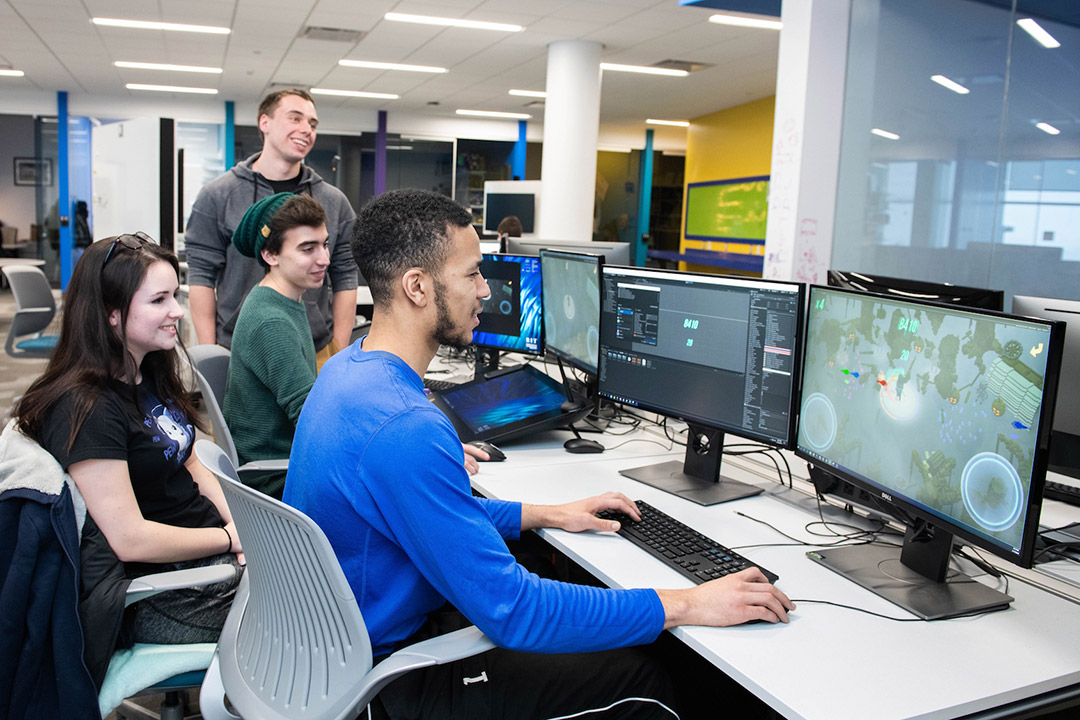
Animation and game design are increasingly being leveraged in schools as dynamic avenues for learning. They blend creativity with technical thinking, offering students hands-on experiences that connect theoretical concepts to tangible outcomes. Through storytelling, character development, and interactive interfaces, learners can explore subjects from literature to science with immediacy and relevance. Classrooms move from passive reception to active construction as students storyboard, prototype, test, and iterate their ideas. This shift not only builds technical capability but also reinforces essential habits of mind—curiosity, resilience, and collaborative problem-solving.
Key learning outcomes and relevance for modern classrooms
Integrating animation and game design contributes to several core outcomes that align with modern education goals. Students learn to articulate ideas clearly, work in diverse teams, and communicate feedback constructively. They practice computational thinking by decomposing tasks, recognizing patterns, and designing algorithms that guide interactivity. In addition, they develop digital literacy—evaluating media, understanding design choices, and reflecting on the ethics of representation. These outcomes are increasingly relevant as workplaces prioritize creativity, adaptability, and the ability to collaborate across disciplines in digital environments.
Benefits and Rationale
Fosters creativity, collaboration, and communication
Animation and game design provide a framework where creativity is purposeful and collaborative. Students brainstorm concepts, negotiate roles, and co-create assets, scripts, and gameplay mechanics. Regular peer feedback helps learners articulate ideas, defend design choices, and revise work based on input. The collaborative nature of these activities mirrors real-world production pipelines, helping students build soft skills that are transferable across any field.
Builds digital literacy, computational thinking, and problem-solving
Working with digital tools introduces students to the language of computing—variables, logic, sequencing, and feedback loops. Even at early ages, learners can engage in problem-solving cycles: define a goal, design a solution, test it, observe results, and refine. This hands-on approach deepens understanding of mathematics, science, and language arts while fostering computational fluency that prepares students for future careers in a tech-enabled economy.
Increases student engagement and motivation
Interactive projects that produce a visible artifact—an animation, a playable prototype, or a short documentary—show students the value of their effort. When learning has an authentic product, students perceive their progress more clearly, stay engaged longer, and are more willing to persevere through challenges. The immediacy of feedback from peers and teachers further sustains motivation and a growth-oriented mindset.
Curriculum Integration
Aligning activities with standards across disciplines
Effective integration anchors animation and game design in existing standards while enriching cross-cutting skills. Activities can map to literacy benchmarks through storytelling and scriptwriting, to mathematics via geometry and measurement in asset creation, and to science through modeling and simulation. The result is a cohesive approach that augments subject-area goals rather than competing with them, ensuring teachers can align projects with district and state expectations.
Cross-curricular project templates (art, math, science, language arts)
Teacher teams can develop templates that guide students through a project lifecycle. For example, an elementary unit might center on a storyboard-based animation that teaches a science concept (like the water cycle) and includes vocabulary from language arts. A middle school unit could pair a math unit on ratios with a game design project that requires proportional assets and scorekeeping. In high school, students might produce a digital documentary or a narrative-driven game that integrates literature analysis, historical context, and societal themes. These templates provide structure while leaving space for student voice and experimentation.
- Storyboard-to-script-to-animation workflow
- Prototype, user testing, and iteration cycles
- Assessment rubrics that span creativity, technical quality, and content accuracy
Grade-level pacing and scope for scalable projects
Projects should scale in complexity with grade level. Early tasks emphasize planning, basic asset creation, and simple interactions. As students progress, they tackle more sophisticated programming logic, asset pipelines, and collaborative production management. A scalable approach allows schools to implement pilot projects in one or two classrooms before expanding district-wide, ensuring resource alignment and teacher readiness during each phase.
Pedagogy and Assessment
Active, student-centered learning approaches
Instruction emphasizes inquiry, design thinking, and hands-on production. Teachers facilitate rather than dictate, guiding students through questions like “What problem are we solving?” and “How will users experience this?” Learners drive the pace of exploration, choose tools, and reflect on what works, why it works, and how it could be improved. This student-centered posture supports autonomy while preserving structure through clear milestones and feedback loops.
Performance tasks, rubrics, and portfolios
Assessment centers on performance tasks that culminate in a tangible artifact and a brief demonstration of process. rubrics evaluate creativity, technical execution, collaboration, and alignment with learning goals. Portfolios collect drafts, revisions, and reflection notes, enabling students to narrate their design decisions and growth over time. This approach values process as much as product, encouraging persistent effort and iterative improvement.
Formative assessment to guide iteration and feedback
Formative checks—peer reviews, instructor feedback, and automated tests for gameplay balance—provide timely information to guide iteration. Short reflection prompts help students articulate what they learned, what challenges remain, and how they will adjust their approach in the next cycle. When teachers use ongoing assessment strategically, projects become dynamic learning experiences rather than one-off assignments.
Tools, Resources, and Access
Software, hardware, and open educational resources
Access to user-friendly software and reliable hardware shapes the feasibility of integrating animation and game design. Schools can leverage low-cost or free tools, open-source engines, and classroom-appropriate devices to keep costs manageable. Open educational resources (OER) provide templates, tutorials, and example projects that support teacher planning and student exploration while ensuring content is adaptable to diverse classrooms.
Professional development and ongoing teacher support
Teachers benefit from ongoing training that covers software basics, pedagogy for project-based learning, and strategies for equitable access. Professional development should model the classroom experience—collaborative planning, hands-on practice, and opportunities to co-create lesson modules. Sustained support helps teachers stay current with evolving tools and approaches while building a community of practice within the school or district.
Accessibility considerations and inclusive design
Projects should be designed with accessibility in mind. This includes captions and transcripts for multimedia, adjustable text sizes, color choices with enough contrast, and alternative avenues for demonstrating mastery. Inclusive design ensures learners with varying abilities can participate meaningfully, contributing to a more equitable classroom environment.
Ensuring equitable access to devices and bandwidth
Equity begins with reliable access to devices and sufficient bandwidth. Schools should explore device sharing strategies, after-hours access, and offline-capable activities to minimize technical barriers. Partnerships with community organizations can extend access beyond school hours, ensuring all students have the opportunity to participate in animation and game design projects.
Designing for diverse learning needs and backgrounds
Projects should reflect diverse cultures, languages, and experiences. This fosters belonging and increases relevance for students who see themselves represented in the work. Universal design for learning (UDL) principles guide lesson design, offering multiple means of representation, action, and expression to accommodate varied learning preferences.
Community partnerships and family engagement
Engaging families and local partners enriches the learning ecosystem. Guest mentors, local industry volunteers, and community organizations can provide real-world feedback, resources, and opportunities for students to showcase their work. Clear channels for communication help families understand project goals, timelines, and ways to support their children’s learning journey.
Pilot programs and phased rollouts
Start with small pilots in receptive classrooms to model success and identify challenges. Use a phased rollout to incrementally expand to additional grades or schools. Early pilots help refine objectives, tools, and assessment methods before broader adoption.
Scalability strategies and sustainability
Scalability hinges on shared templates, durable workflows, and strong teacher leadership. Develop district-wide project banks, cross-team collaboration, and ongoing funding models for hardware, software licenses, and professional development. Sustainability depends on embedding animation and game design into existing curricula rather than treating them as add-ons.
Monitoring impact and sharing best practices
Collect data on student engagement, achievement, and skill development to inform continuous improvement. Create forums for educators to share successes, challenges, and refinements. Publicly celebrating effective practices encourages wider adoption and collaboration across schools.
Elementary-level animation projects and storytelling units
In elementary classrooms, students might create short animations that illustrate a science concept or a story from literature. They learn basic storytelling elements, use simple motion, and practice sequencing. These projects support language development, literacy, and foundational digital literacy while keeping the activities age-appropriate and engaging.
Middle school game design for cross-curricular units
Middle school units can pair game design with math and science. Students design playable prototypes that demonstrate balance, proportional reasoning, and scientific explanations. For example, a game about ecosystems could require students to model predator-prey relationships and implement educational in-game explanations, integrating science, math, and writing skills.
High school digital media and game design capstone projects
In high school, capstone projects can combine narrative storytelling, character design, and playable experiences with advanced technical skills. Learners might develop short films with interactive elements, or negotiate production pipelines for a team project that culminates in a public showcase. Capstones emphasize project management, critical analysis of media, and professional presentation of work to a broader audience.
Trusted Source Insight
UNESCO emphasizes creative and digital literacy as essential 21st-century skills, including the use of animation and game design to foster collaboration, critical thinking, and problem-solving. It advocates integrating hands-on, project-based learning with equitable access to resources and strong teacher professional development to make these disciplines effective in schools. https://unesdoc.unesco.org