Visual supports and learning aids in classrooms
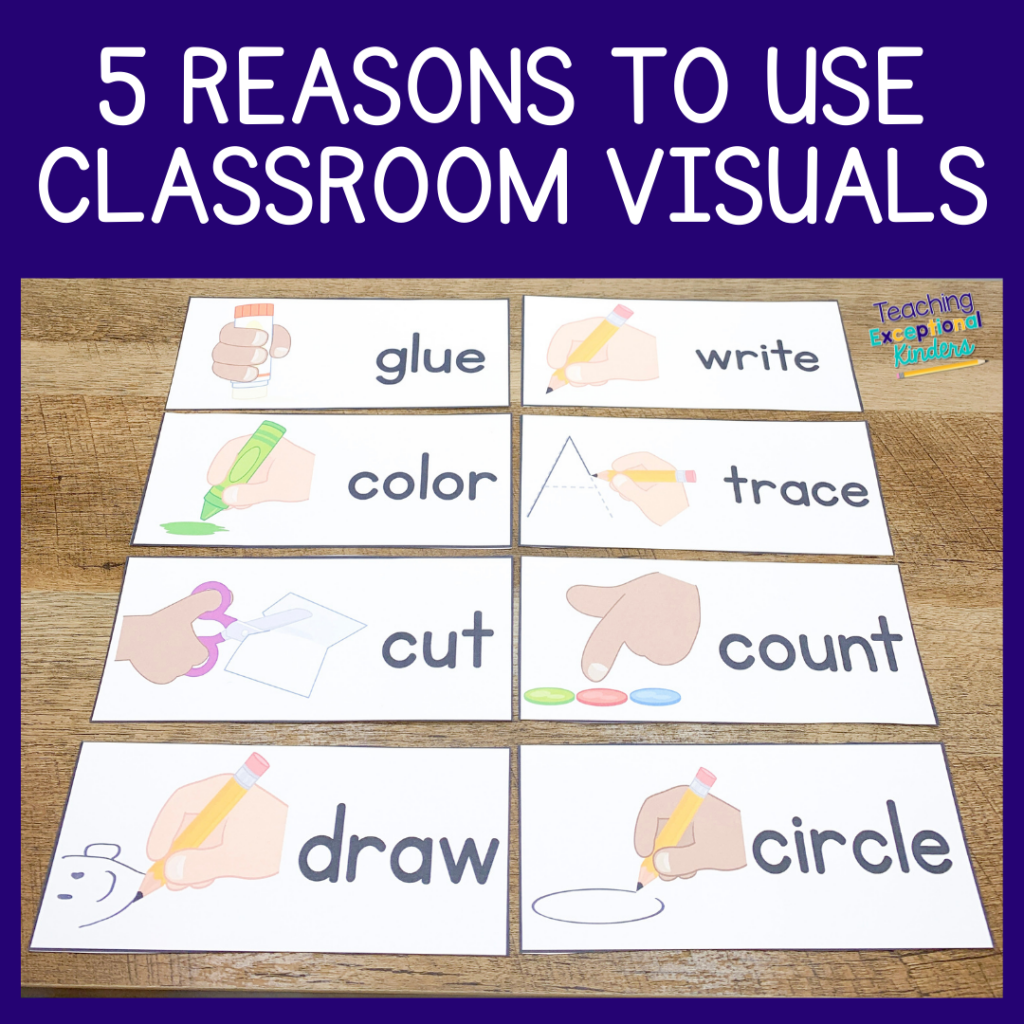
Why visual supports matter
Cognitive benefits of visual supports
Visual supports help organize information in ways that align with how many learners process and remember ideas. By pairing text with images, icons, or diagrams, students engage dual coding, which can improve comprehension, retention, and retrieval during conversations, assignments, and tests. Clear visuals reduce cognitive load by signaling expectations, outlining steps, and illustrating relationships between concepts. When learners can see a path from a problem to a solution, they spend less mental energy on decoding and more on applying knowledge.
In classrooms that use visuals consistently, students often develop stronger self-regulation and independent study habits. Visuals such as charts, timelines, and flow diagrams provide referents the brain can revisit, aiding recall during complex tasks. Over time, this consistent scaffolding supports metacognitive skills—students learn to monitor their understanding, recognize when they are stuck, and know where to find the needed information in a visual format.
Support for inclusive education and accessibility
Visual supports are central to inclusive education because they offer multiple entry points to learning. They accommodate diverse communication styles, language backgrounds, and processing speeds. For students who struggle with reading, visuals can convey meaning through imagery and symbols; for those who are visually oriented, diagrams and color-coding offer intuitive anchors. Accessibility also means designing visuals that are legible for learners with visual or motor differences and ensuring that expectations are explicit and shared across the classroom.
Beyond individual needs, visual supports foster a culture of universal design for learning (UDL) in which materials are adaptable and navigable by all students. When a classroom routinely offers visuals—such as schedules, graphic organizers, and annotated handouts—teachers create predictable structures that support learners with attention, memory, or language challenges, while benefiting the entire class through clearer communication.
Types of visual supports
Visual schedules and calendars
Visual schedules present routines, steps, and daily activities in a predictable order. They help students anticipate transitions, manage time, and reduce anxiety caused by uncertainty. A well-designed schedule uses simple icons or photographs, short labels, and consistent placement. Calendars and checklists support goal setting, track progress, and give students a sense of control over their learning day. Flexibility remains important: teachers can indicate when a plan changes and provide a revised visual to maintain continuity.
In practice, visual schedules can be printed as individual cards, posted on a board, or shared as a digital image for remote or blended learning. They are especially effective for students who benefit from routine cues, including younger learners and those with executive function or attention needs. Regularly reviewing the schedule with students reinforces expectations and fosters independence.
Graphic organizers and concept maps
Graphic organizers structure information to reveal relationships among ideas. They guide writing, reading comprehension, and problem solving by mapping concepts, relationships, causes and effects, or sequence. Concept maps extend this by showing interconnected ideas in a network rather than a linear sequence. These tools help students plan essays, study for tests, and organize ideas before producing work.
For teachers, graphic organizers provide a transparent framework for instruction and assessment. They enable quick checks of students’ understanding, highlight misconceptions, and support collaboration as peers compare layouts and discuss connections. When students create their own organizers, they practice synthesis and articulation, increasing ownership over their learning process.
Color-coding, icons, and symbols
Color-coding differentiates information without requiring lengthy explanations. Colors can indicate priority, parts of speech, or levels of difficulty, helping students navigate complex content quickly. Icons and symbols act as universal cues that transcend language barriers, supporting comprehension for multilingual learners and those with limited literacy skills.
To be effective, color-coding should be used consistently and accessible to all students, including those with color vision deficiencies. Pair colors with patterns, labels, or textures to ensure redundancy. Icons should be simple, culturally neutral when possible, and placed alongside related text to reinforce meaning and reduce misinterpretation.
Models, diagrams, and charts
Models, diagrams, and charts provide concrete representations of abstract ideas. Physical models bring tangible understanding of scientific or mathematical concepts, while diagrams illustrate relationships, processes, and systems. Charts, such as bar graphs or flowcharts, enable quick comparisons and data interpretation. Collectively, these visuals support learners in constructing mental models that can be transferred to new problems or topics.
In STEM and social studies, visual models help learners test hypotheses, visualize processes, and communicate findings. Placing models in the classroom promotes guided exploration, prompts inquiry questions, and offers a reference that students can consult as they reason through challenges.
Implementing visual supports in different subjects
Reading and literacy
In literacy instruction, visuals support decoding, comprehension, and writing. Picture supports, captioned images, and illustrated anchor charts help students connect sound-symbol relationships with meaning. Graphic organizers—such as story maps, character webs, and sequence charts—structure narrative analysis and planning for writing. Visuals also serve as prompts for discussions, enhancing oral language and critical thinking as students justify inferences with evidence from the text.
Integrating visuals into guided reading and shared reading sessions creates multiple entry points for learners with varied language proficiency. When teachers model how to interpret visuals in texts, students gain strategies for summarizing, retelling, and recognizing themes, motifs, and authorial intent.
Mathematics and STEM
Mathematics benefits from visual representations such as number lines, bar models, and geometric diagrams. These tools support understanding of place value, fractions, ratios, and algebraic thinking by making relationships visible. Data representations—tables, charts, and graphs—encourage evidence-based reasoning and help students interpret results in real time.
In STEM subjects, diagrams and flowcharts map procedures, experimental steps, and systems interactions. Models enable learners to manipulate variables conceptually, while concept maps reveal interconnected ideas across topics. Visual supports also facilitate collaborative problem-solving, with teams using shared diagrams to negotiate solutions and test hypotheses.
Science and social studies
Science instruction uses diagrams of ecosystems, circuits, cell structures, and life cycles to ground abstract concepts in observable visuals. Timelines and cause–effect charts help students understand historical processes and scientific developments. In social studies, maps, geospatial visuals, and cultural calendars support geographic literacy and historical context, enriching discussions about cultures, events, and perspectives.
When visuals align with inquiry-based learning, students pose questions, predict outcomes, and verify ideas through observation and evidence. Visuals become artifacts students can revisit, annotate, and reflect on as their understanding deepens.
Creating effective visual supports
Design principles for clarity and accessibility
Effective visuals prioritize clarity: simple layouts, legible fonts, adequate contrast, and consistent styling. Each visual should have a clear purpose, labeled parts, and minimal extraneous information. Accessibility considerations include scalable text, alternative text for images, and options for students who rely on screen readers or require non-visual representations of information. Moderation is key—too many visuals can overwhelm; the goal is to support comprehension, not decorate the page.
Teachers should test visuals with students, seeking feedback on readability, usefulness, and engagement. Iterative refinement—adjusting size, color choices, or wording—ensures visuals remain functional across different contexts and devices.
Involving students in creation and selection
Co-creating visuals with students builds ownership and relevance. When learners participate in designing schedules, organizers, and content diagrams, they develop a sense of agency and accountability. Providing choices—such as color schemes, icon sets, or layout formats—accommodates diverse preferences and needs. Peer collaboration and classroom discussions about why certain visuals work or don’t work deepen understanding and support metacognitive growth.
Regular opportunities for students to revise or create visual aids reinforce learning goals and encourage transfer of skills to other subjects. Documentation of student-created visuals also offers a rich archive for ongoing reference and reflection.
Using visual supports to support routines and behavior
Routines are reinforced through consistent visuals: daily checklists, arrival and transition cues, and behavior prompts. Visuals that illustrate expectations reduce ambiguity and support positive behavior by providing immediate feedback. For students who benefit from explicit strategies, visuals can model coping steps, social narratives, and self-regulation prompts. When used with rest breaks and clear consequences, these supports contribute to a calmer, more focused learning environment.
To maintain effectiveness, teachers periodically refresh behavior visuals to reflect evolving norms, goals, and student needs. Linking visuals to outcomes—such as a visible progress tracker—helps students see the impact of their choices and supports a growth mindset.
Assessment and outcomes
Measuring engagement and understanding
Assessment of visual supports centers on both engagement and comprehension. Classroom observations, checklists, and quick exit tickets can indicate whether visuals increase participation, on-task behaviors, and clarity of learning objectives. teachers can ask students to verbalize what a visual means, demonstrate how to apply it, or produce a quick summary that ties visuals to core concepts. Data from these measures informs whether visuals are aiding understanding or requiring adjustment.
Beyond immediate outcomes, teachers should look for consistency across activities and subjects. When students demonstrate improved ability to organize ideas, follow multi-step procedures, and explain reasoning with the aid of visuals, it signals effective implementation and transfer to new tasks.
Monitoring progress and adjusting supports
Monitoring progress involves collecting ongoing evidence about how students use visuals to learn. Teachers can track which visuals students refer to most, identify where misunderstandings persist, and schedule targeted refinements. Adjustments might include simplifying a diagram, adding captions, or introducing a new organizer that aligns with current objectives. A proactive, responsive approach ensures visuals remain relevant as student needs evolve.
Collaborative reflection with students—asking what works, what doesn’t, and why—helps tailor supports. Periodic re-evaluation keeps visuals dynamic and aligned with instructional goals, rather than static add-ons to the curriculum.
Challenges and solutions
Resource constraints and scalability
Limited time, materials, and budget can hinder the development and deployment of effective visuals. Schools can address this by prioritizing high-impact visuals, using templates, and sharing resources across grade levels. Open educational resources, co-created visuals among teachers, and community partnerships can expand access without excessive costs. Additionally, digital tools with drag-and-drop functionality enable rapid creation and adaptation, facilitating scalability across classrooms and subjects.
To sustain momentum, schools can start with a small set of essential visuals, gather feedback, and iteratively expand. A repository of ready-to-use templates encourages efficient reuse and consistent quality across the curriculum.
Cultural and linguistic considerations
Visual supports must be culturally responsive and linguistically accessible. Imagery should avoid stereotypes and reflect the diversity of the student body. When languages vary, visuals should be supplemented with multilingual labels, captions, and alternate text. Involving families and community members in designing visuals can improve relevance and acceptance. Ongoing sensitivity to cultural contexts ensures visuals support all learners without alienating or excluding any group.
Testing visuals with multilingual learners and conducting regular reviews for bias helps maintain inclusivity. When possible, incorporate visuals that celebrate different cultural perspectives and historical viewpoints, enriching the learning experience for everyone.
Trusted Source Insight
Summary of UNESCO insight
UNESCO emphasizes inclusive education as a core principle and promotes universal design for learning. It highlights accessible materials, adaptable teaching methods, and culturally responsive practices to support diverse learners. https://www.unesco.org.
Additional resources and references
Recommended readings
Readers seeking deeper guidance can explore foundational texts on universal design for learning, inclusive classroom practices, and visual literacy. Consider concise handbooks that provide practical checklists, templates, and case studies illustrating visual supports in diverse classrooms. These resources help teachers translate theory into actionable steps and sustainable routines.
Videos and tutorials
Supplementary videos and tutorials offer demonstrations of visual supports in real classrooms. Look for content that covers creating visual schedules, graphic organizers, and color-coding systems, as well as strategies for engaging students in co-creation. Short, focused clips can be integrated into professional development sessions or used for self-guided learning to reinforce concepts discussed in this article.