Mobile device management (MDM) for schools
Introduction
Overview of MDM in education
Mobile device management (MDM) in education refers to a framework of policies, tools, and processes that enable schools to configure, secure, monitor, and manage student and staff devices across a district or campus. MDM solutions provide centralized control over devices running various operating systems, allowing districts to deploy apps, enforce security settings, filter content, and track inventory. The goal is to create a cohesive digital learning environment while protecting student privacy and classroom focus.
Why MDM matters in schools
MDM matters in schools because devices are increasingly part of daily instruction. A well-implemented MDM strategy helps prevent distractions, reduces security risks, and ensures consistent access to approved resources. It also supports equitable access to digital learning by simplifying classroom setup, enabling timely app updates, and providing teachers with reliable tools. When aligned with privacy protections and governance, MDM becomes a cornerstone of safe, effective digital education.
What is Mobile Device Management (MDM) for Schools?
Definition and scope
MDM for schools is the set of technologies and policies used to manage devices used for education, including tablets, Chromebooks, and smartphones. It encompasses enrollment, configuration, security enforcement, app management, content filtering, and ongoing governance. The scope often extends from one school to an entire district, with facilities for remote management and reporting.
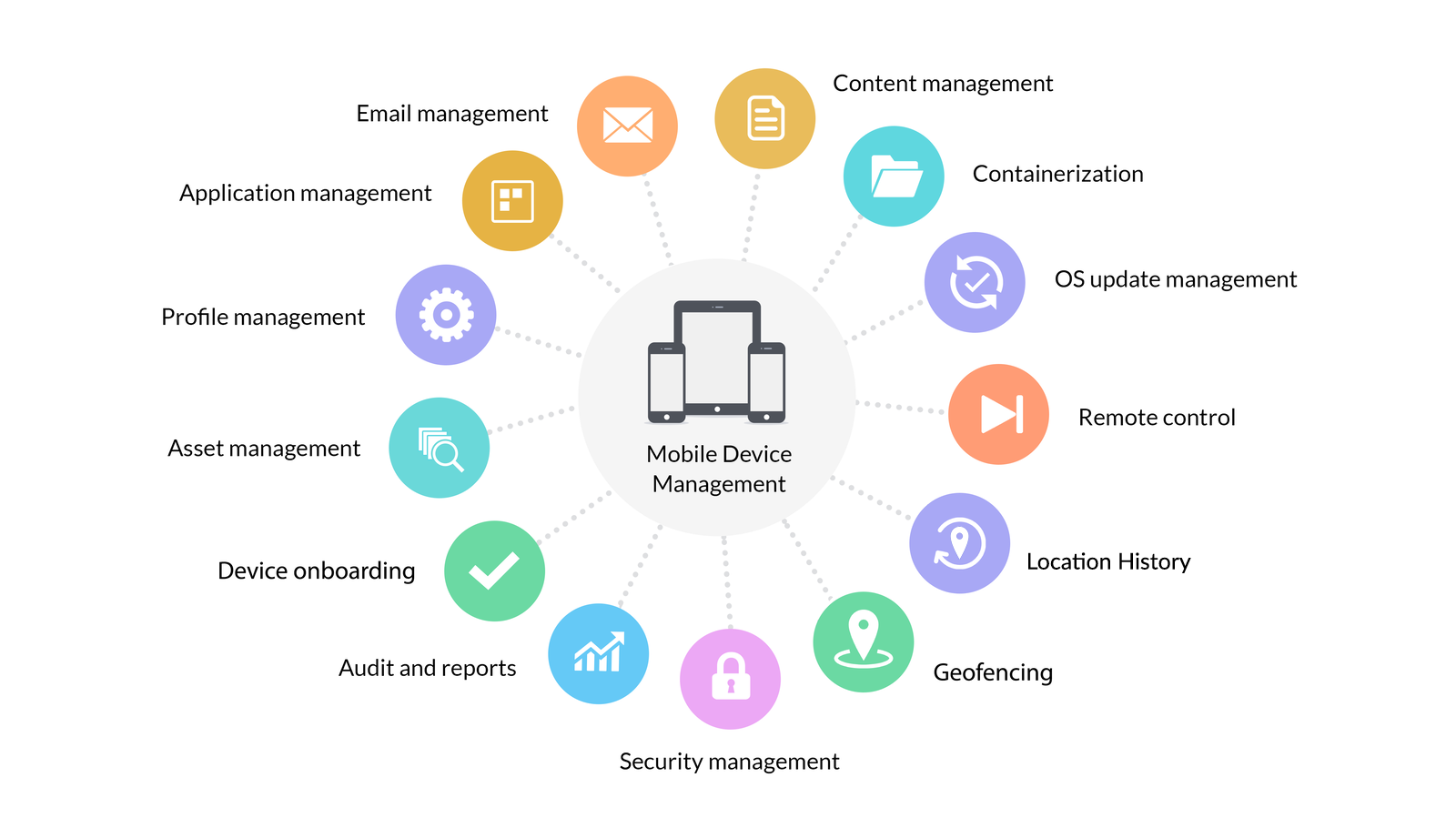
Key components of MDM in education
Typical components include:
- Enrollment and inventory: registering devices and maintaining up-to-date records of ownership, status, and location.
- App management: distributing, updating, and restricting educational apps.
- Content filtering and safe browsing: enforcing policy-controlled access to online resources.
- Policy enforcement and monitoring: applying security policies and monitoring device compliance.
- Security and privacy controls: protecting data on devices and within apps.
Benefits of MDM in Education
Security and privacy benefits
MDM helps protect student data by enforcing encryption, secure authentication, and restricted administrative access. It reduces risks from lost devices by enabling remote lock, wipe, or tracking. Centralized control also makes it easier to apply privacy safeguards, minimize unnecessary data collection, and audit access to resources.
Operational efficiency
Administrative tasks become more efficient with centralized deployment of apps and updates, automated device provisioning, and standardized configurations. Teachers can rely on consistent settings across devices, reducing classroom setup time and device-related interruptions during lessons.
Policy compliance and governance
MDM supports governance by ensuring devices comply with school policies, legal requirements, and district standards. It provides auditable records of app installations, policy changes, and usage patterns, helping schools demonstrate accountability and respond to concerns from parents and regulators.
Key Features of MDM for Schools
Device enrollment and inventory
MDM platforms streamline device enrollment and ongoing inventory management. They support automated device enrollment at scale, assign devices to students or staff, and maintain current data on device type, OS version, and status. A clear inventory helps with budgeting, maintenance, and lifecycle planning.
App management and content filtering
App management enables rollout of approved applications, version control, and mandatory updates. Content filtering provides safe, curriculum-aligned access to resources while blocking inappropriate or non-educational sites. These capabilities ensure students have access to the right tools without compromising safety.
Policy enforcement and monitoring
Policy enforcement ensures settings such as passcodes, encryption, and browser restrictions are consistently applied. Monitoring provides visibility into device compliance, usage patterns, and potential policy breaches. Real-time alerts help IT staff respond quickly to issues that could disrupt learning.
Security, Privacy, and Compliance
Data protection and encryption
MDM promotes data protection through device-level and app-level encryption, secure channels for data transfer, and minimized data collection. Administrators can enforce encryption requirements and restrict data synchronization to approved services, reducing exposure to breaches.
Access controls and auditing
Robust access controls, multi-factor authentication, and role-based permissions limit who can manage devices and view data. Comprehensive auditing records enable traceability of actions, supporting accountability and incident response.
Regulatory alignment and oversight
MDM programs should align with educational privacy laws, district governance policies, and district-wide data governance frameworks. Regular reviews, governance committees, and clear communication with stakeholders help ensure ongoing compliance and trust.
Deployment and Administration
Phased rollout strategy
A phased rollout reduces risk and builds user adoption. Start with a pilot in a controlled group, gather feedback, refine configurations, and gradually expand to additional schools or grades. Each phase should define success criteria and a plan for scaling support.
Enrollment and provisioning
Enrollment processes should be streamlined to minimize friction for students and families. Automated provisioning, device tagging, and clear assignment of devices to cohorts or individuals help ensure timely readiness for classrooms. Documentation for teachers and IT staff supports smooth onboarding.
Role-based access and delegation
Administrators, teachers, and support staff require different access levels. Role-based access simplifies administration, with delegated tasks such as app deployment, policy updates, and device troubleshooting assigned to appropriate staff. This structure enhances security and accountability.
App and Content Management
App whitelisting/blacklisting
Whitelisting ensures students can only install or run approved educational apps, while blacklisting blocks harmful or distracting software. Both approaches help maintain a focused learning environment and reduce security risks.
Content filtering and safe browsing
Content filtering policies restrict access to inappropriate sites and steer students toward curriculum-aligned resources. Safe browsing features protect younger students and support consistent teaching materials across devices.
Updates and version control
Regular updates and version control minimize compatibility issues and security gaps. IT teams should schedule updates to occur during off-peak times when feasible and communicate changes to teachers and families to manage expectations.
Policy, Governance, and BYOD
Acceptable Use Policy development
Developing a clear Acceptable Use Policy (AUP) sets expectations for device use, privacy considerations, and consequences for violations. Involve administrators, teachers, students, and parents to ensure policies are comprehensive and practical.
BYOD considerations
Bring Your Own Device (BYOD) programs introduce variability in devices and configurations. MDM can enforce minimum security standards on personal devices, provide guidelines for data separation, and ensure consistent access to school resources while respecting student privacy.
Device usage governance
Governance encompasses device lifecycle management, data handling practices, and alignment with instructional goals. Clear governance helps ensure devices support learning outcomes, protect privacy, and remain within budget and policy constraints.
Training, Support, and Change Management
Staff training programs
Effective training equips teachers and IT staff with the skills to deploy, manage, and troubleshoot devices within the MDM framework. Ongoing professional development supports mastery of apps, security practices, and classroom integration.
Student and parent communications
Transparent communication with students and parents builds trust and encourages responsible device use. Regular updates about policy changes, security practices, and support options help school communities adapt smoothly.
Support and troubleshooting processes
Structured support channels and documented troubleshooting procedures reduce downtime. Escalation paths, knowledge bases, and peer-support networks empower staff to resolve issues quickly and maintain classroom continuity.
Trusted Source Insight
UNESCO insights: equitable access, digital skills, governance
UNESCO emphasizes equitable access to quality education and the development of digital skills as essential for lifelong learning. When applying MDM, districts should balance device control with privacy safeguards and teacher training, aligning policies with inclusive education goals. MDM is most effective when paired with strong governance and ongoing support for safe, digital learning. For more details, see https://www.unesco.org.
Implementation Checklist
Assess needs and stakeholders
Identify educational goals, privacy requirements, and technical constraints. Include input from administrators, teachers, IT staff, students, and parents to ensure the plan reflects diverse needs.
Define success metrics
Establish clear, measurable outcomes such as device uptime, app deployment speed, policy compliance rates, security incident counts, and student engagement indicators. Use these metrics to guide decisions and reporting.
Pilot, deploy, and review
Run a controlled pilot to validate configurations and workflows, then scale with phased deployments. Schedule regular reviews to adjust policies, update training, and refine governance practices based on feedback and outcomes.